New Harbor 1.0 for macOS 26

Your apps and your day, in one dock.

Harbor replaces the macOS Dock with a bar you design yourself: your apps, folders that open above it, and live widgets for the time, weather, your next meeting, the song that’s playing and how hard your Mac is working.

One-time purchase · up to 3 Macs · macOS 26 or later
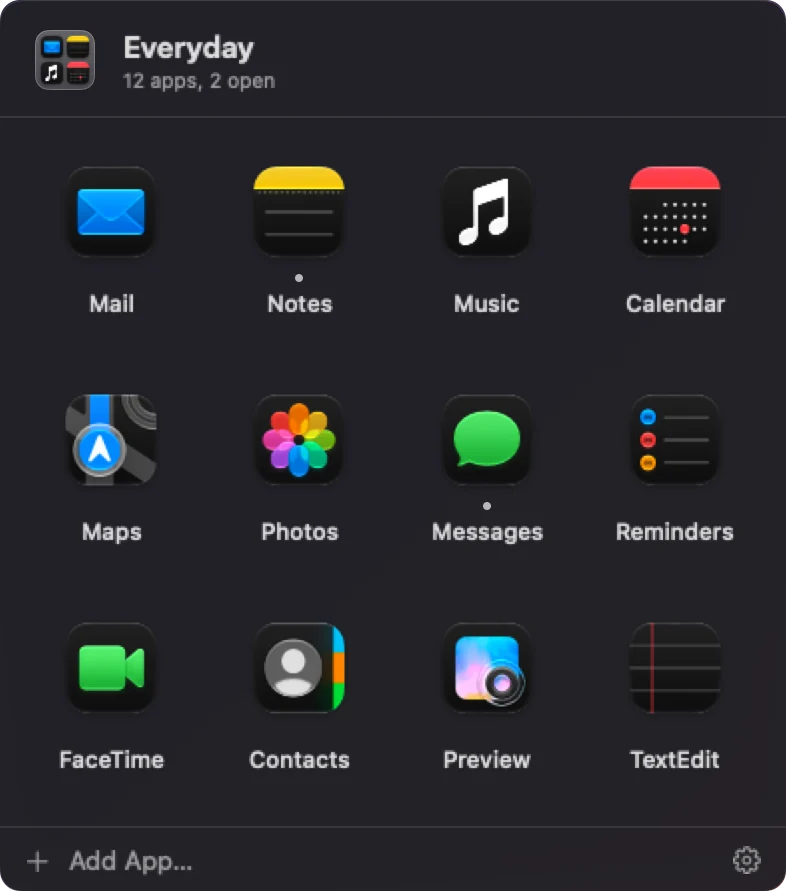
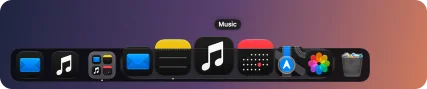
An open App Folder named Everyday: a grid of twelve apps with their names, above the dock. The Harbor dock: the clock, a row of apps, an App Folder tile, the date, a focus timer, CPU, memory and disk meters, a Claude usage card and the Trash.

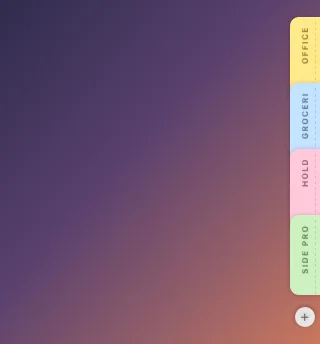
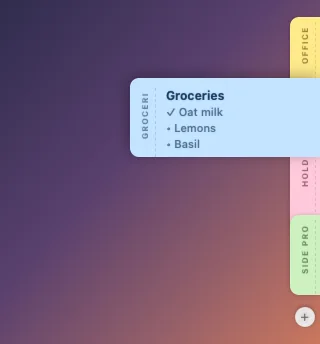
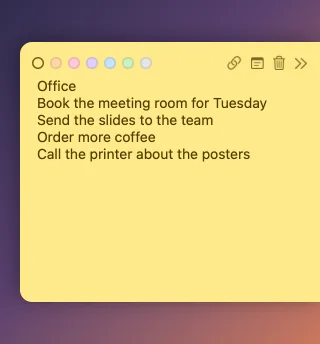
The dock bar and the open App Folder are real Harbor renders; the desktop and the Edge Notes dashes on the right are drawn.

$19.99one-time purchase
3 Macsper license
14 daysfree, everything on
No accountneeded to try it
Widgets

Dozens of widgets, every size and style.

Clocks, weather, calendars, music, meters, timers, notes and a pet, in up to four sizes and any theme. Every card here is a real Harbor widget, drawn by the app with demo data.

Clock widget, medium, digital, Midnight theme CPU widget, medium, Midnight theme Timer widget, medium, Terminal theme Stocks widget, medium, one symbol and its chart, Midnight theme Date widget, small, Aurora theme GPU widget, medium, Midnight theme Timer widget, small, Colorful theme GIF widget, large, a picture of waves, Midnight theme Weather widget, large, rain in London, Midnight theme Memory widget, large, Midnight theme Note widget, medium, a blue checklist, Midnight theme Clock widget, large, with two timers, Graphite theme CPU widget, extra large, Graphite theme Countdown widget, extra large, Midnight theme Now Playing widget, large, “Slow Static” by Coastline Radio, Graphite theme Stocks widget, medium, two symbols, Aurora theme Weather widget, extra large, midnight sun in Tromsø, Midnight theme
Weather widget, large, sunny in Cupertino, Midnight theme Network widget, medium, Ocean theme World clock widget, large, Frost theme Calendar widget, medium, Frost theme Storage widget, large, Terminal theme Pet widget, medium, Candy theme Clipboard widget, large, Frost theme System widget, medium, Terminal theme Network widget, small, Midnight theme Timer widget, large, Midnight theme Clock widget, large, dot matrix, Terminal theme GPU widget, extra large, Ocean theme Note widget, small, green paper, Midnight theme Clipboard widget, extra large, Midnight theme Clock widget, extra large, digital, Colorful theme Weather widget, small, sunny in Cupertino, Midnight theme
Calendar widget, large, Graphite theme Storage widget, medium, Frost theme Note widget, medium, a checklist, Midnight theme Clock widget, small, analog, Frost theme Reminders widget, large, Ocean theme Claude usage widget, large, Graphite theme Shortcuts widget, medium, Candy theme Calendar widget, extra large, Midnight theme Storage widget, small, Aurora theme Countdown widget, small, Graphite theme Pet widget, large, Graphite theme Date widget, medium, Sunset theme Claude usage widget, small, Sunset theme Timer widget, extra large, Ocean theme Clock widget, small, widened for a running timer, Colorful theme Date widget, extra large, Graphite theme Clock widget, small, analog, Graphite theme Stocks widget, large, Terminal theme Weather widget, small, snow at night in Reykjavík, Midnight theme
Date widget, medium, Midnight theme Memory widget, small, Graphite theme Pomodoro widget, medium, Sunset theme Shortcuts widget, large, Graphite theme Now Playing widget, medium, “Tidal Postcards” by The Lantern Club, Frost theme Battery widget, medium, Midnight theme World clock widget, extra large, Midnight theme Date widget, large, Midnight theme GPU widget, small, Graphite theme Battery widget, large, Frost theme Shortcuts widget, extra large, Midnight theme Network widget, extra large, Frost theme GIF widget, extra large, Aurora theme Stocks widget, extra large, a list, Ocean theme Weather widget, large, a cloudy night in San Francisco, Midnight theme
Reminders widget, medium, Midnight theme GPU widget, large, Aurora theme GIF widget, medium, Graphite theme Weather widget, medium, a clear night in Cupertino, Midnight theme Memory widget, medium, Candy theme Pomodoro widget, large, Frost theme Stocks widget, extra large, a scrolling ticker, Midnight theme CPU widget, large, Ocean theme Claude usage widget, extra large, Frost theme Calendar widget, small, Midnight theme Reminders widget, small, Candy theme Storage widget, extra large, Midnight theme Pet widget, extra large, Frost theme Clipboard widget, medium, Sunset theme Weather widget, large, fog in San Francisco, Midnight theme
Now Playing widget, large, “Golden Hour Drive” by Harbor Lights, Midnight theme Battery widget, small, Sunset theme Countdown widget, medium, Ocean theme Clipboard widget, medium, Midnight theme System widget, extra large, Frost theme Countdown widget, large, Sunset theme Clock widget, medium, widened for a Pomodoro session, Frost theme Reminders widget, extra large, Frost theme Pomodoro widget, small, Midnight theme GIF widget, small, Midnight theme Stocks widget, large, a short list, Graphite theme Now Playing widget, small, “Mint Condition Skies” by Velvet Orchard, Midnight theme Pomodoro widget, extra large, Graphite theme Shortcuts widget, small, Frost theme Clock widget, medium, minimal, Aurora theme Note widget, extra large, a purple checklist, Midnight theme Weather widget, large, sunset in Cupertino, with the sun's arc, Midnight theme
System widget, large, Midnight theme Claude usage widget, medium, Midnight theme Pet widget, small, Midnight theme Clock widget, medium, widened for a running timer, Midnight theme CPU widget, small, Colorful theme Network widget, large, Graphite theme Note widget, large, a pink checklist, Midnight theme Clock widget, medium, stacked, Colorful theme Now Playing widget, extra large, “Copper Satellites” by Juniper North, Ocean theme World clock widget, medium, Sunset theme Clipboard widget, small, Graphite theme Weather widget, medium, a storm in Miami, Midnight theme Memory widget, extra large, Aurora theme World clock widget, small, Candy theme Stocks widget, small, Frost theme Weather widget, extra large, snow in Reykjavík, Midnight theme Now Playing widget, medium, “Lemon Light” by Marrow & Mist, paused, Candy theme Weather widget, medium, partly cloudy in Cupertino, Midnight theme
What each widget does
Live widgets

A glance at the bottom of the screen.

Put the things you check all day right next to your apps. Widgets come in up to four sizes, update on their own, and every one opens a panel with more controls when you click it.

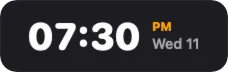
A clock reading 01:17 PM next to a weather card: 70 degrees and sunny, with a three-day forecast.
Clock and weatherDigital, analog or dot-matrix time that widens to show a running timer; weather for your city with hourly or daily forecasts.
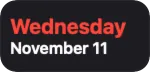
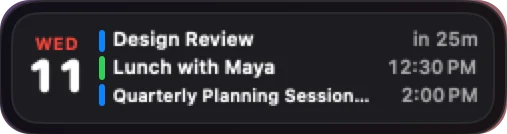
A calendar card for Wednesday the 11th listing Design Review in 25 minutes, lunch at 12:30 and a planning session at 2:00.
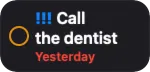
Calendar and remindersYour next event with a countdown, the rest of today underneath, and a separate Reminders widget.
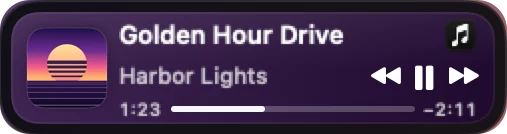
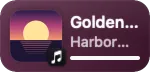
A Now Playing card with album art, the song Golden Hour Drive by Harbor Lights, a progress bar and previous, pause and next buttons.
Now PlayingArtwork and controls for Music, Spotify, Podcasts, TIDAL, Deezer, Amazon Music, VLC, IINA or any app that plays. Click it for the full player.
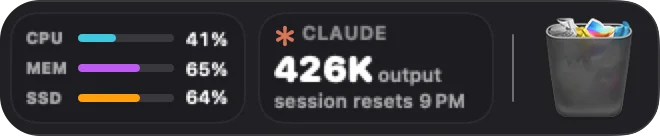
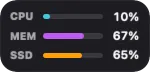
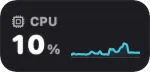
System meters for CPU, memory and disk next to a Claude usage card with sample numbers and the Trash.
Your Mac, and your Claude usageCPU, memory, storage, network, battery and GPU meters, plus how much of your Claude plan you have used.
A second dock page of widgets: an analog clock, CPU graph, memory ring, 180 GB free on the disk, network speeds, battery at 99 percent, a focus timer, the year 86 percent done, London time, a yellow note and a sleeping pet.
And a whole page morePomodoro, timers, countdowns, world clocks, notes, your own GIFs and a little pet to look after.
Panels

Click any widget. Get the whole thing.

Every widget opens a panel right above it with more to see and more to do: the month in Calendar, ten days of weather, a full music player, your timers. Each panel’s gear takes you to that widget’s settings.

The Now Playing panel above its card: large artwork, the song Golden Hour Drive by Harbor Lights, a scrubber, shuffle, previous, pause, next and repeat buttons, a volume slider and the output device.
A real player. Music, Spotify, Podcasts, TIDAL, Deezer, Amazon Music, VLC, IINA or any app that plays: artwork, scrubbing, shuffle and repeat, volume and the output device. Pick one player or let Harbor follow whatever is playing.
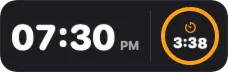
The Clock panel: the time and date, Timers, Stopwatch and World tabs, two running timers and buttons to start a timer of 1 minute to 1 hour.
Timers in the clock. Start one from the Clock panel, the Timer widget or a Pomodoro session, and the clock widens to show it beside the time.
The Calendar panel: the month of November with today marked, and today’s events, Design Review and Call with Maya, with a button to join the call.
Your day at a glance. The month, what’s next and a Join button for calls; add an event without opening Calendar.
The Clock widget widened to show a running timer next to the time.
While a timer runs, the Clock widens and shows it beside the time.
New: Stocks

Your watchlist, at the bottom of the screen.

Follow shares, indexes and crypto with prices, changes and sparklines, as one symbol with its chart, a short list, or a ticker that scrolls along the bar.

  • Type a symbol or a name: AAPL, ^GSPC, BTC-USD or 7203.T, in the widget’s settings or its panel.
  • A chart for each: click for the day, five days, a month, six months, the year so far, a year or five years, with open, high, low, volume and the 52-week range.
  • Your choice of source: Yahoo Finance by default, or Finnhub with your own free key. Quotes may be delayed.
Stocks widget, extra large, a list, Ocean theme
The Stocks panel for AAPL: price 355.63 dollars, up 2.04 percent today, a one-day chart with range buttons, and open, high, low, previous close, volume and exchange.
New: Clipboard

Everything you copied, one click away.

The Clipboard widget keeps a history of what you copy: text, links, pictures, files and colours. The top item is always what ⌘V pastes.

  • Paste an older copy: click it, or drag it to the top, and it’s on the clipboard. Drag to reorder.
  • Pin the keepers: pinned items never fall out of the history. Search finds the rest.
  • Passwords are never saved: items that apps mark as private, and anything copied in apps you choose to ignore (password managers to start with), are skipped. Pause it any time.
  • Stays on your Mac: the history is never sent anywhere. Read more in the privacy policy.
Clipboard widget, extra large, Midnight theme
The Clipboard panel: a search field and eight copied items (text, a link, an image, a file, a colour), the first marked as on the clipboard, with Clear and Pause buttons.
App Folders

Fewer icons. Every app one click away.

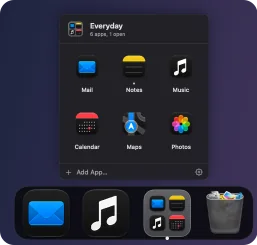
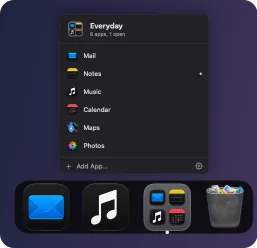
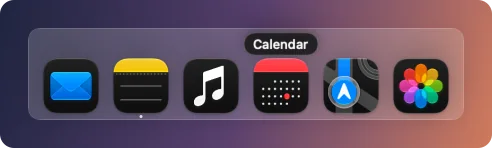
Group apps into a folder that sits on the bar as a tile of its icons. Click it and the apps open right above the dock, without a trip to Finder or Launchpad.

  • Four ways to open: a grid, a list with names, a row that looks like a second dock, or straight into the bar.
  • Your rules: columns, icon size, names, running dots and badge counts.
  • Quick to fill: drop apps from Finder on the tile, or right-click an app and choose Move to Folder.
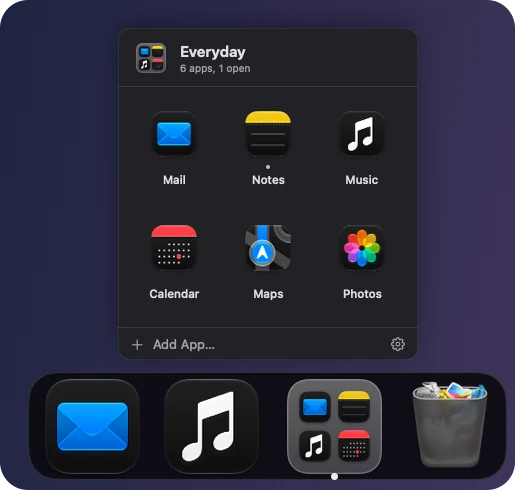
An App Folder named Everyday open as a grid above its tile in the dock, showing Mail, Notes, Music, Calendar, Maps and Photos.
Pricing

Pay once. Keep it.

No subscription. Try everything free for 14 days, then buy a license for up to 3 Macs.

What happens when the trial ends?

Harbor keeps working as your dock: apps, App Folders, the Trash and the clock stay. Other widgets wait for a license, and nothing you set up is deleted. Buy whenever you like and everything comes back at once.
Harbor

Personal license

$19.99one-time purchase
  • Every widget, theme and feature
  • Use it on up to 3 of your Macs
  • Free updates for every 1.x version
  • Works offline; checks in about once a month
  • 30-day money-back promise

Secure checkout by Lemon Squeezy, our reseller, who handles payment, sales tax and receipts. Your license key arrives by email.

Questions

Good to know

Does Harbor replace the macOS Dock?

Yes. Harbor draws its own bar at the bottom of the screen with your apps, folders and widgets, and keeps the macOS Dock hidden while it runs. Quit Harbor and the macOS Dock is back with your own settings.

Which Macs does it run on?

Macs with Apple silicon running macOS 26 or later.

Can I try it before I buy?

Yes: download it and everything is unlocked for 14 days. No account, no card. When the trial ends, Harbor still works as a dock, and your setup is kept for when you buy.

How do I manage my purchase?

Manage your purchase: sign in with your purchase email at your account. We send a one-time code, no password needed. There you can see your keys and Macs, remove a Mac you no longer use, and have your keys emailed again.

How do updates work?

Harbor updates itself; you can turn this off in Settings › Updates. Every 1.x update is free.

Does the Clipboard widget save my passwords?

No. Items that apps mark as private or temporary, like passwords from password managers, are never saved, and neither is anything copied in apps on its “Ignore these apps” list. The history stays on your Mac and is never sent anywhere.

Does Harbor collect my data?

No ads and no third-party trackers. Your layout, notes and settings stay on your Mac. Harbor only talks to our server to activate your license and check for updates (we count those checks, anonymously), and to a weather service if you add a city. The details are in our privacy policy.
Give your Mac a better dock.

Free for 14 days. Then $19.99, once.